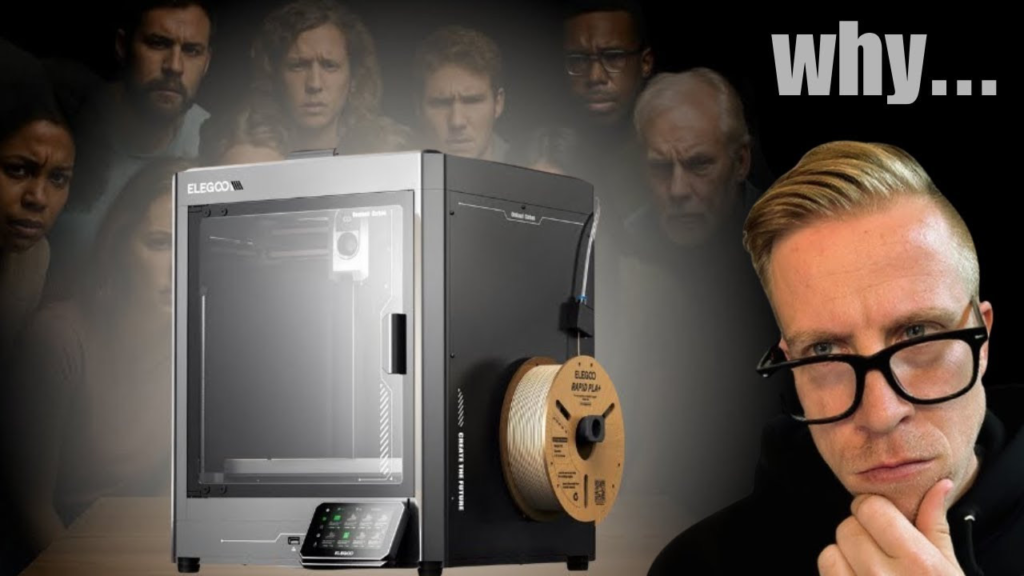
If you're comparing the Elegoo Centauri Carbon vs Bambu Lab P1S, you're looking at two 3D printers that are actually a lot more similar than you might think.
I've used a lot of 3D printers, and the P1S has been one of those machines that's incredibly easy to recommend. It prints fast, the print quality is great, the Bambu ecosystem is probably the best in the industry, and you don't have to spend half your time messing with the printer.
But then the Centauri Carbon came along.
And honestly, this is one of the printers that makes the P1S a much harder recommendation than it used to be.
If you want the short answer, I think the Centauri Carbon gives you more printer for your money, especially if you're mostly interested in single-color printing and advanced materials. But if you want the more established ecosystem, better software experience and easy multicolor printing with the AMS, the Bambu Lab P1S still has some major advantages.
Let's compare them.
Centauri Carbon vs P1S Specifications
Before getting into what it's actually like using these printers, here are some of the major differences.
| Feature | Elegoo Centauri Carbon | Bambu Lab P1S |
|---|---|---|
| Build Volume | 256 x 256 x 256 mm | 256 x 256 x 256 mm |
| Printer Design | Enclosed CoreXY | Enclosed CoreXY |
| Maximum Print Speed | 500 mm/s | 500 mm/s |
| Maximum Acceleration | 20,000 mm/s² | 20,000 mm/s² |
| Maximum Nozzle Temperature | 320°C | 300°C |
| Maximum Bed Temperature | 110°C | 100°C |
| Stock Nozzle | Hardened steel/brass construction | Stainless steel |
| Carbon Fiber Materials | Designed for them out of the box | Upgrades recommended for abrasive reinforced materials |
| Camera | Yes | Yes |
| Automatic Bed Leveling | Yes | Yes |
| Multicolor | No native multicolor system on original Centauri Carbon | Yes, with optional AMS |
| Touchscreen | 4.3-inch touchscreen | Basic button/LCD interface |
On paper, these machines are surprisingly close in some areas.
They have the exact same 256 x 256 x 256 mm build volume, they're both enclosed CoreXY printers, and both advertise maximum toolhead speeds of 500 mm/s.
The differences start becoming more interesting once you look at the hardware you actually get for your money.
Print Quality Is Very Similar
Let's start with the thing everybody actually cares about.
Print quality.
I get asked all the time whether one modern 3D printer prints dramatically better than another one, and honestly, we've reached a point where a lot of these machines produce extremely similar results.
That's the case here.
The Centauri Carbon prints extremely well, and so does the P1S.
If you printed the same normal PLA model on both machines and handed the prints to somebody who didn't know which printer made which one, I don't think most people would reliably be able to tell you.
That's actually a compliment to both machines.
The P1S has been a fantastic printer for years, and Elegoo managed to build something that can compete with it when it comes to actual print quality.
Centauri Carbon vs P1S Print Speed
Speed is another area where these printers are extremely close.
Both the Centauri Carbon and P1S advertise maximum toolhead speeds of 500 mm/s and acceleration up to 20,000 mm/s².
That doesn't mean you're going to print every single model at 500 mm/s.
You won't.
Actual printing speed depends on the filament, model, layer height, acceleration, flow rate and a bunch of other factors.
But the important thing is that both of these are legitimately fast CoreXY 3D printers.
Coming from an older Ender-style bed slinger, either one is going to feel ridiculously fast.
I wouldn't choose between the Centauri Carbon and P1S based purely on speed.
The Centauri Carbon Has Better Stock Hardware for Advanced Filaments
This is one area where the Centauri Carbon gets really interesting.
The Centauri Carbon comes with a 320°C hotend and a hardened nozzle designed to handle more demanding materials, including carbon-fiber-reinforced filaments.
The P1S hotend tops out at 300°C and comes standard with a stainless-steel nozzle.
That doesn't mean you can't print abrasive materials with a P1S. You absolutely can modify and upgrade the machine.
But that's the difference.
You're upgrading it.
With the Centauri Carbon, Elegoo basically built the machine around being able to print these materials right out of the box.
If you're planning on printing a lot of carbon fiber, nylon or other more demanding engineering filaments, I'd lean toward the Centauri Carbon.
Both Printers Have the Same Build Volume
There's really no winner here.
Both printers give you a build volume of:
256 x 256 x 256 mm.
That's a really good middle ground for a desktop 3D printer.
It's large enough for the vast majority of things most people are going to print without making the printer itself absolutely gigantic.
If build volume is the deciding factor in your Centauri Carbon vs P1S decision, it's basically a tie.
The Centauri Carbon Has a Much Better Screen
This isn't even close.
The Centauri Carbon has a 4.3-inch capacitive touchscreen.
The P1S has that little screen with physical controls on the front.
It works.
But I've never been a huge fan of it.
Bambu obviously expects you to do a lot of your interaction through Bambu Studio and the Bambu Handy app, and to be fair, that ecosystem works really well.
But if I'm standing directly in front of a printer and want to control something, I'd rather have a proper touchscreen.
The Centauri Carbon feels much more modern in this area.
Bambu Lab Has the Better Software Ecosystem
Now we get to probably the biggest reason I'd still tell somebody to buy the P1S.
Bambu Lab's ecosystem is really good.
Bambu Studio, Bambu Handy and MakerWorld all work together incredibly well.
You can find a model on MakerWorld, send it to your printer and monitor the print from your phone without jumping through a bunch of hoops.
This is something Bambu has absolutely nailed.
Elegoo has improved significantly when it comes to software, but I still don't think the overall experience is as polished as Bambu's.
For beginners especially, that matters.
If you want the closest thing 3D printing currently has to clicking a button and having everything just work, Bambu is still really hard to beat.
P1S Wins If You Want Multicolor Printing
This is probably the biggest difference between the original Centauri Carbon and P1S.
The P1S supports Bambu Lab's AMS system.
That gives you automatic filament switching and multicolor printing without manually swapping filament.
And the AMS isn't just useful for printing four-color Pokémon.
You can keep several materials loaded, automatically select different filaments and use support-interface materials.
You can even connect multiple AMS units if you want to get ridiculous with the number of colors.
The original Centauri Carbon doesn't have an equivalent native multicolor system.
So if multicolor printing is important to you, I'd choose the P1S.
This is one of those differences that can completely change which printer makes sense for you.
The Centauri Carbon Is the Better Value
This is where the Centauri Carbon really starts making its case.
You're getting an enclosed CoreXY printer with a 256 mm cubed build volume, 500 mm/s maximum speed, automatic calibration, camera, touchscreen, hardened nozzle and the ability to print more demanding materials right out of the box.
That's a lot of printer.
The P1S is still a fantastic value for what you're getting, but you're paying more for that Bambu ecosystem.
And I'm not necessarily saying that's a bad thing.
Software, reliability and ease of use have value.
But if you're looking strictly at how much physical 3D printer you're getting for your money, I think the Centauri Carbon wins.
Which One Is Better for Beginners?
This one is actually pretty close.
The Centauri Carbon comes assembled and has full automatic calibration, so it's absolutely a beginner-friendly 3D printer.
You're not buying an old-school machine where you spend your first afternoon manually leveling the bed and adjusting eccentric nuts.
The P1S is also incredibly beginner-friendly.
Where I'd give Bambu the advantage is the entire experience surrounding the printer.
The software is polished. The app is good. MakerWorld integration is excellent. There are tons of profiles available, and the P1S has been around long enough that there's an enormous community surrounding it.
If you're completely new to 3D printing and don't care about spending a little more, the P1S might still be the easier overall experience.
But the gap is much smaller than it used to be.
Which One Would I Buy?
This really comes down to what you want from the printer.
If I wanted the best value and planned on mostly doing single-color printing, I'd buy the Centauri Carbon.
You're getting a ton of hardware for the money, the print quality is excellent, it's fast, it's enclosed and it's better equipped out of the box for abrasive and higher-temperature materials.
If I wanted multicolor printing or cared heavily about having the most polished software ecosystem, I'd buy the Bambu Lab P1S.
That's really the biggest thing I'd think about.
Don't buy the P1S because you think it's automatically going to produce dramatically better-looking prints. And don't buy the Centauri Carbon just because its specification sheet looks better in a few areas.
Think about how you're actually going to use the printer.
For normal PLA, PETG and single-color printing, I'd have a really hard time justifying paying significantly more for the P1S when the Centauri Carbon can produce such similar results.
But once you add the AMS and Bambu ecosystem into the equation, the P1S starts offering something the original Centauri Carbon simply doesn't.
Centauri Carbon vs P1S: My Final Verdict
The Elegoo Centauri Carbon vs Bambu Lab P1S comparison is much closer than I think a lot of people expect.
Both are fast, enclosed CoreXY printers. Both have the same 256 x 256 x 256 mm build volume. Both can produce excellent prints, and both are easy enough that I'd recommend them to beginners.
The Centauri Carbon is my pick for overall value, especially if you want to print carbon-fiber-reinforced or other more demanding materials without immediately upgrading parts.
The P1S is my pick for ecosystem and multicolor printing, especially if you're planning on adding an AMS.
A couple of years ago, recommending the P1S in this price range was incredibly easy.
Now?
There are printers like the Centauri Carbon making that decision a whole lot harder.