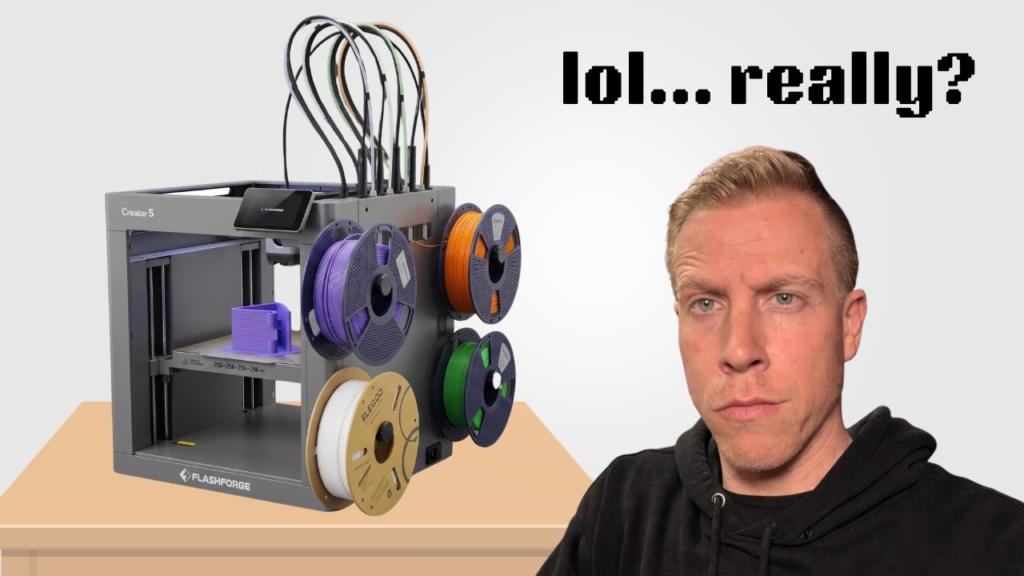
The regular Flashforge Creator 5 is an awesome printer, but one of the biggest things separating it from the Creator 5 Pro is the enclosure. The good news is people are already designing printable parts that let you build your own enclosure around the regular Creator 5.
I’ve been digging through the models that are available, and there are already some pretty cool options. Just understand that most of these aren’t a single file you print and suddenly have a finished enclosure. You’re generally printing the frame, doors, top hat, and other pieces and then adding acrylic or plexiglass panels yourself.
Here are five Creator 5 enclosure models I’d start with.
1. Flashforge Creator 5 Top Hat
This is probably the first model I’d grab because closing off the top of the Creator 5 is a huge part of turning it into an enclosed machine.
The design creates a raised top hat over the toolhead area while still leaving room for everything up there to move properly. It’s designed specifically around the Creator 5 and can be assembled with screws instead of having to glue everything together.
You can find the model here:
https://www.thingiverse.com/thing:7384648
A Creator 5 owner recently used this exact top hat as part of a complete DIY enclosure build, so this isn’t just some random model that happens to show up in search.
2. Flashforge Creator 5 Enclosure Panel Doors
This is another model I’d definitely download if you’re trying to completely enclose the Creator 5.
The enclosure panel door design gives you the printed pieces needed to start closing off the open sides of the machine with acrylic panels.
Model:
https://makerworld.com/en/models/3046405-flashforge-creator-5-enclosure-panel-doors
I’ve seen a finished Creator 5 build using this design for the front while using plexiglass for the other panels. That’s probably pretty close to how I’d approach my own enclosure.
Print the structural pieces and then have the clear panels cut separately.
3. Flashforge Creator 5 Front Panel V2
Another option worth checking out is the Creator 5 Front Panel V2.
This one uses a magnetic design, which I actually really like for a DIY enclosure. Being able to quickly remove or open panels is useful because there are definitely going to be times when you DON’T want the Creator 5 completely sealed up.
Search MakerWorld for:
Flashforge Creator 5 Front Panel V2 (magnetic)
This could be a really nice alternative to a traditional hinged front door depending on how you want your enclosure set up.
4. Creator 5 Pro PTFE Holder
This isn’t technically the enclosure itself, but it’s one of those little pieces that can make a DIY Creator 5 enclosure much cleaner.
Once you start adding a top hat and panels, you still need to think about how your PTFE tubes are going to enter the enclosure.
There’s already a printable PTFE holder designed for PC4-M10 fittings:
https://makerworld.com/en/models/3002887-creator-5-pro-ptfe-holder-for-pc4-m10-fittings
A Creator 5 owner used these holders along with the printable top hat and enclosure doors when building their own complete enclosure.
It’s a small part, but it’s exactly the kind of thing that makes a homemade enclosure look a lot less homemade.
5. Build Your Own Creator 5 Acrylic Panel Enclosure
This last one isn’t one specific STL file, but it’s probably the route I’d personally take.
Use the Creator 5 Top Hat, printable enclosure doors, and PTFE holders above, then cut your own clear acrylic or plexiglass panels for the remaining openings.
There’s already a really nice community build doing basically this exact thing. The owner printed the parts in PETG and used clear plexiglass for most of the enclosure along with black transparent plexiglass on the back.
I like this approach because you’re not trying to 3D print giant solid walls. You’re using the printer for the brackets, hinges, frames, and other complicated pieces while letting inexpensive acrylic handle the large flat surfaces.
I’d probably make cardboard templates before cutting the acrylic too. That’s actually something the person who built the enclosure recommended, and it could save you from wasting a sheet because one measurement was slightly off.
Is It Worth Enclosing the Flashforge Creator 5?
I think it depends entirely on what you’re printing.
For PLA, I’d actually be careful about trapping too much heat inside the printer. PLA generally doesn’t need a hot chamber, and getting the toolheads too warm can potentially create other problems.
Where an enclosure gets much more interesting is when you start messing with materials like ABS and ASA that benefit from a warmer and more stable printing environment.
And that’s really the appeal of doing this upgrade.
Instead of buying the Creator 5 Pro, you can start with the regular Creator 5 and slowly build your own enclosure around it. You’re obviously not magically turning it into a Creator 5 Pro because the Pro also has things like an actively heated chamber and filtration, but you can at least close off the printing area and create a much more controlled environment.
I’d start with the top hat and front doors, add acrylic panels, and then modify the enclosure from there.
That’s half the fun of owning a 3D printer anyway. You buy the printer so you can immediately start printing parts for the printer.